# UTBETS token approvals (ERC20)

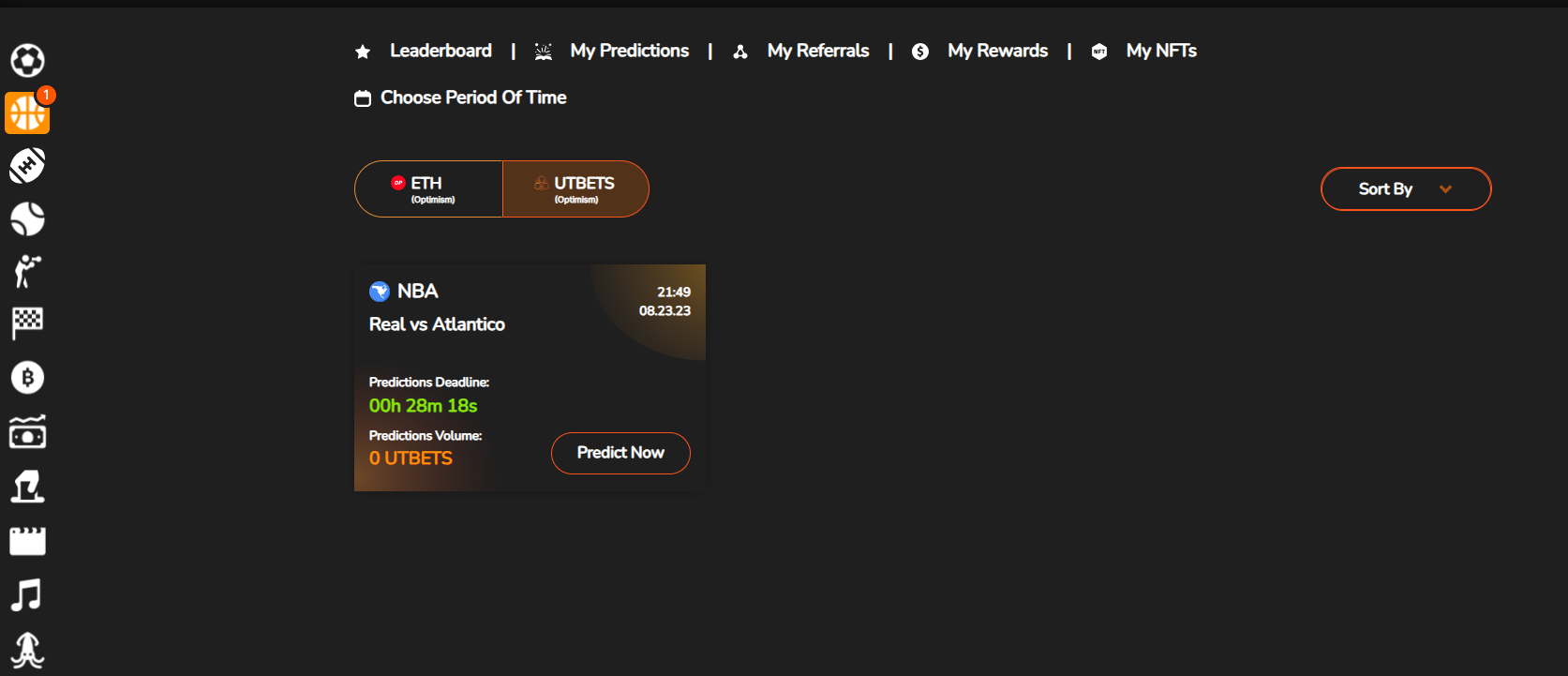
**When you try to place prediction with UTBETS, there is just one more step to approve UTBETS Token to be manageable by the UltiBets Platform contracts.**

<figure><img src="https://3993365130-files.gitbook.io/~/files/v0/b/gitbook-x-prod.appspot.com/o/spaces%2FMJpqDJerJrlypvmZZ7Cs%2Fuploads%2FoAmc2zF5XiEQRJhv0emg%2Fimage.png?alt=media&#x26;token=8a791c4a-c6e0-4207-8119-84c0ec854af4" alt=""><figcaption></figcaption></figure>

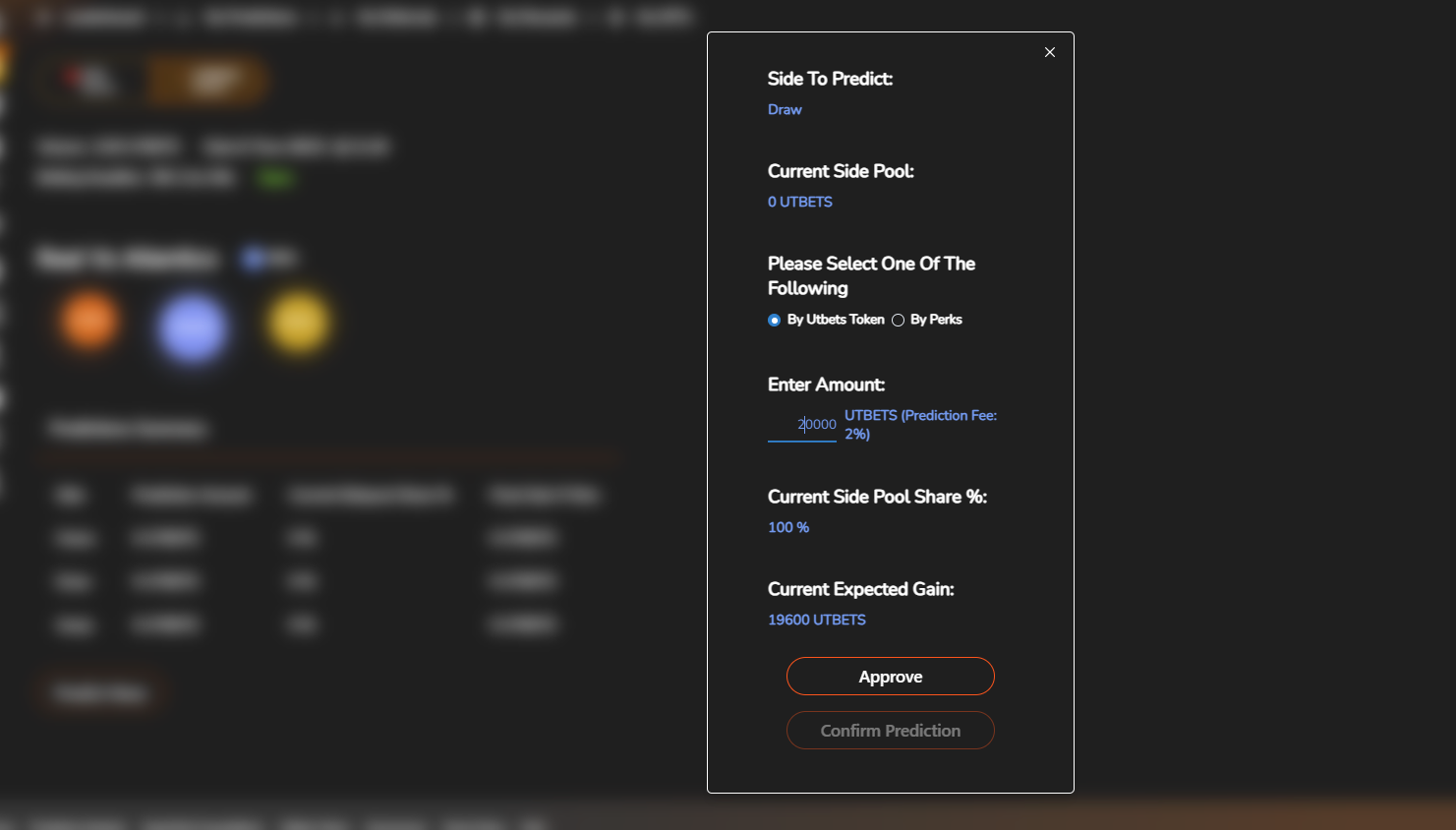
1. **When you enter an amount to place your prediction, the website just checks out your allowance to UltiBets contract.** \
   **And if that is not enough, you can see the 'Approve' button enabled.**<br>

   <figure><img src="https://3993365130-files.gitbook.io/~/files/v0/b/gitbook-x-prod.appspot.com/o/spaces%2FMJpqDJerJrlypvmZZ7Cs%2Fuploads%2Fcz1jNEKvKYuvXcSBeQky%2Fimage.png?alt=media&#x26;token=b8c0c2ef-64ef-46ae-8f5c-db60a6909e89" alt=""><figcaption></figcaption></figure>

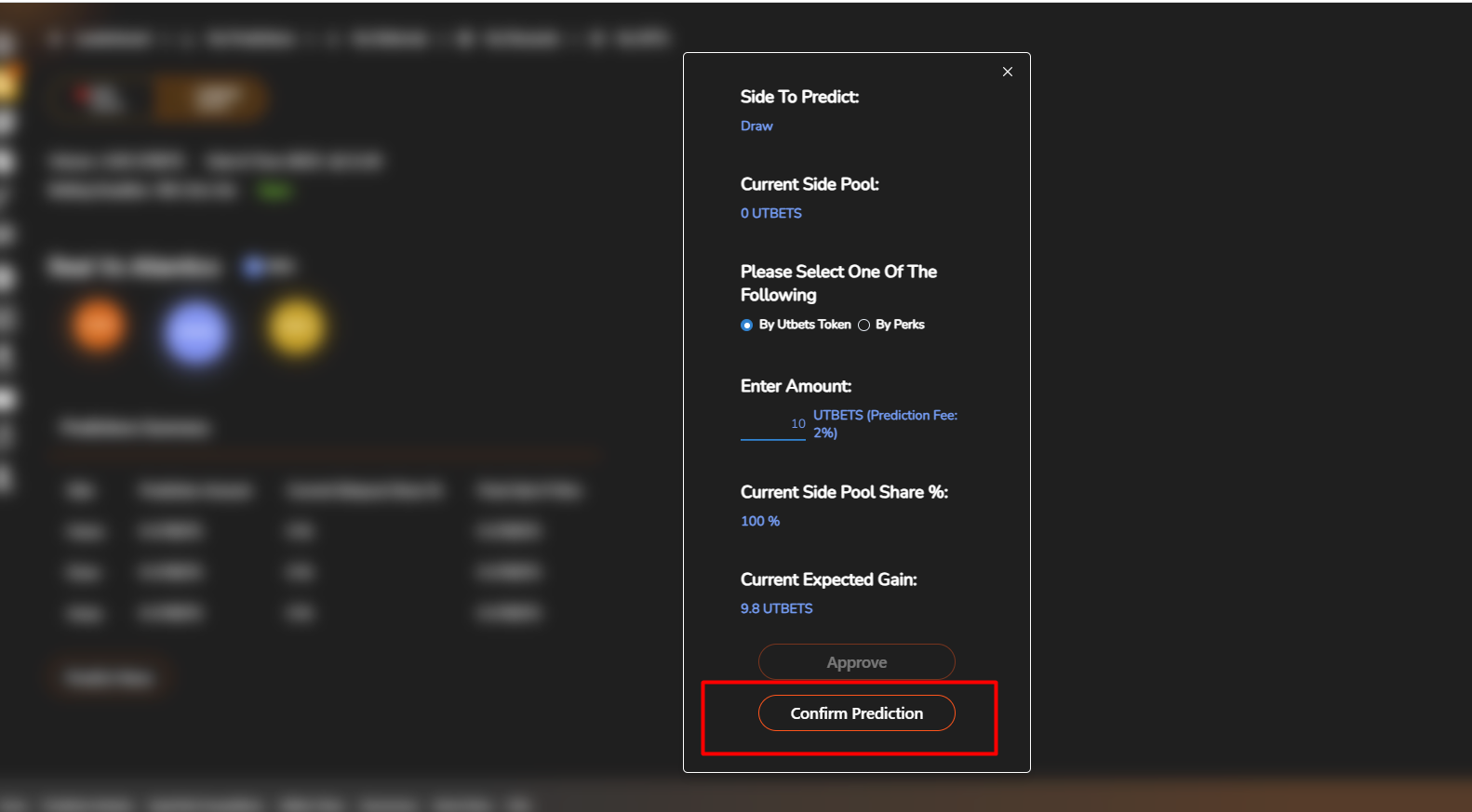
   **If the allowance is enough for the amount, you can see the 'Confirm Prediction' button enabled.**

   <figure><img src="https://3993365130-files.gitbook.io/~/files/v0/b/gitbook-x-prod.appspot.com/o/spaces%2FMJpqDJerJrlypvmZZ7Cs%2Fuploads%2FrKzzoaTh9kLX6lHokPwt%2Fimage.png?alt=media&#x26;token=b1641b53-ed30-4326-a8d1-fff6b689809c" alt=""><figcaption></figcaption></figure>
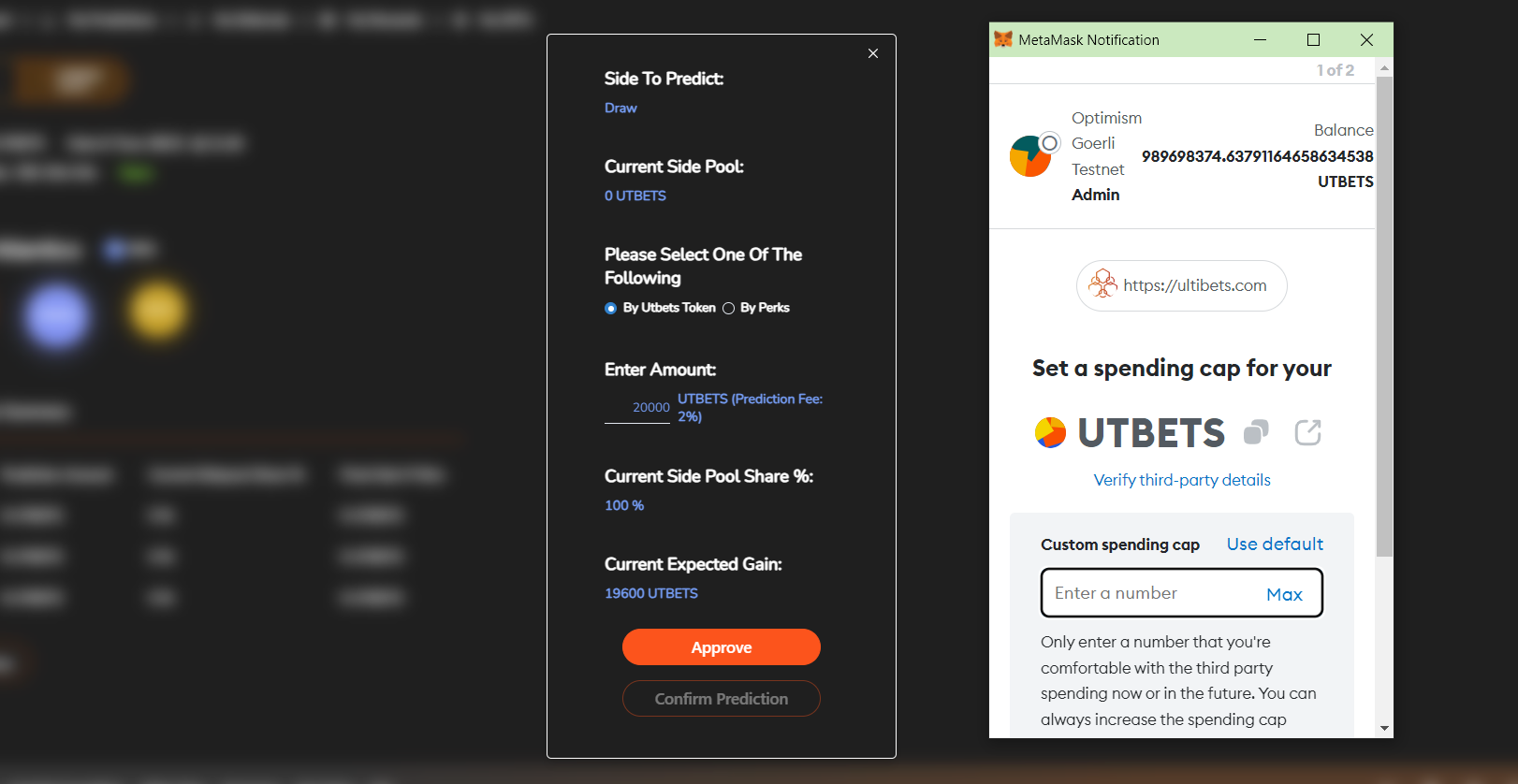
2. **When you click the 'Approve' button, you can see the Metamask confirm popup that asks for you to enter the approval amount.**<br>

   <figure><img src="https://3993365130-files.gitbook.io/~/files/v0/b/gitbook-x-prod.appspot.com/o/spaces%2FMJpqDJerJrlypvmZZ7Cs%2Fuploads%2FiCCsSYLnMRHclzvviwRS%2Fimage.png?alt=media&#x26;token=9f22a7b8-9e2d-4885-ad93-05e298e28404" alt=""><figcaption></figcaption></figure>

   **If you enter enough amount for further predictions, you don't need to approve each time you try to predict.**\
   \
   **Once your allowance is too low to approve your prediction, the 'Approve' button will be enabled again and you have to re-approve to be able to place prediction.**